
Sales Orders
End-to-end wholesale order management. Your team creates orders in the field, your B2B customers self-serve online, and your back office tracks every stage from draft to delivery.
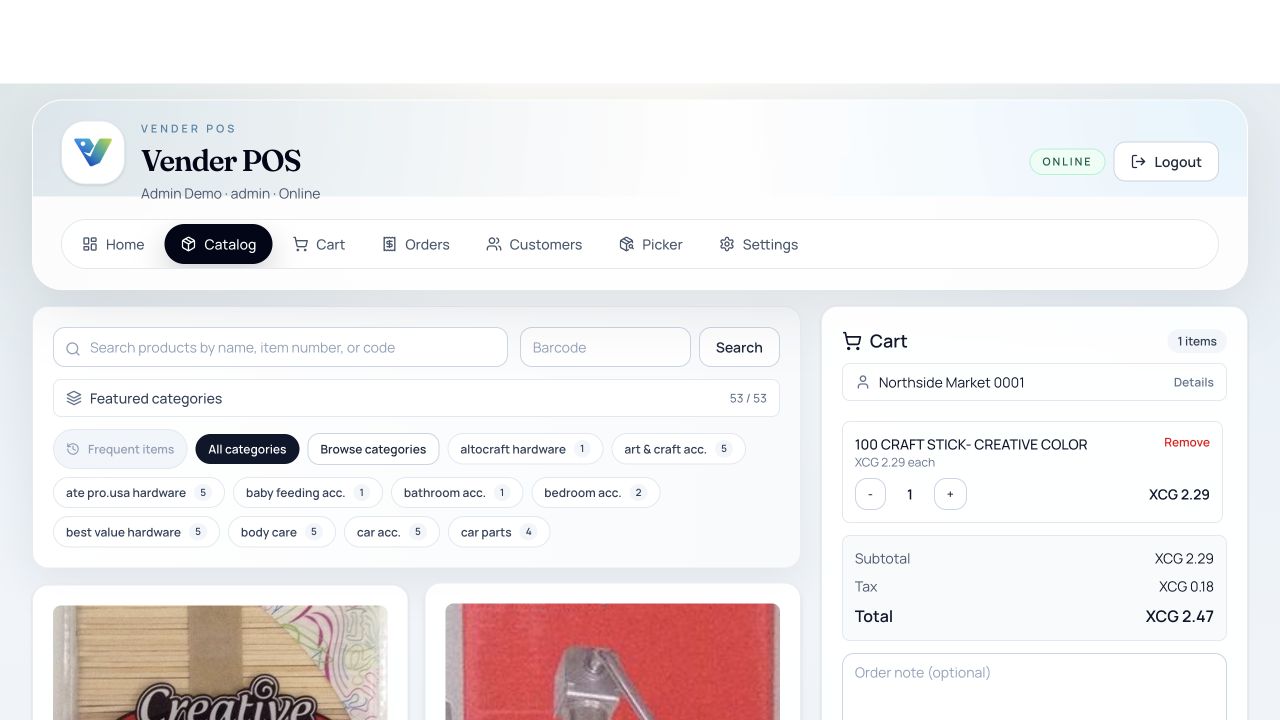
What you can work with
Create Anywhere
Sales reps create orders in the field via the mobile app. Cashiers ring up orders at POS. B2B buyers place orders themselves in the customer portal.
Real-Time Stock Validation
Check availability at the relevant location and review the order status before picking. Reservation and stock updates depend on the workflow and settings.
Flexible Fulfilment
Track orders from draft → submitted → picking → delivered. Generate delivery notes, packing slips, and invoices at each stage.
Customer Intelligence
Auto-link frequent products per customer, apply pre-negotiated pricing, and surface order history for upsells during order creation.
Immutable Price Snapshots
Every order item stores base price, final unit price, discount amount, and applied pricing context so historical orders stay stable over time.
Try it with a sample
Select Customer
Search accounts by name, phone, or recent activity. The mobile app shows frequent products for that customer to speed up order entry.
Add Products
Browse the catalogue, scan barcodes, or search by item number. Pricing auto-resolves based on customer-specific price lists and active discount rules.
Review & Submit
Review line items, totals, taxes, and delivery details. Submit online for immediate processing, or save offline and sync later.
Fulfill & Invoice
Warehouse staff pick and pack via the picking queue. Finance generates invoices and delivery notes. Customers track status in the B2B portal.
Keep Price History Intact
Future price list or discount changes do not rewrite old orders because applied pricing values are snapshot at order time.
Available On
Sales Orders are available across all Vender apps. Mobile orders appear in Admin after successful synchronization. B2B portal orders appear in the same queue as internal orders.
Related Features
Ready to streamline your orders?
See how Vender Sales Orders connect a sample customer order with the team that prepares it.