
← Explore Vender
Catalogue & inventory
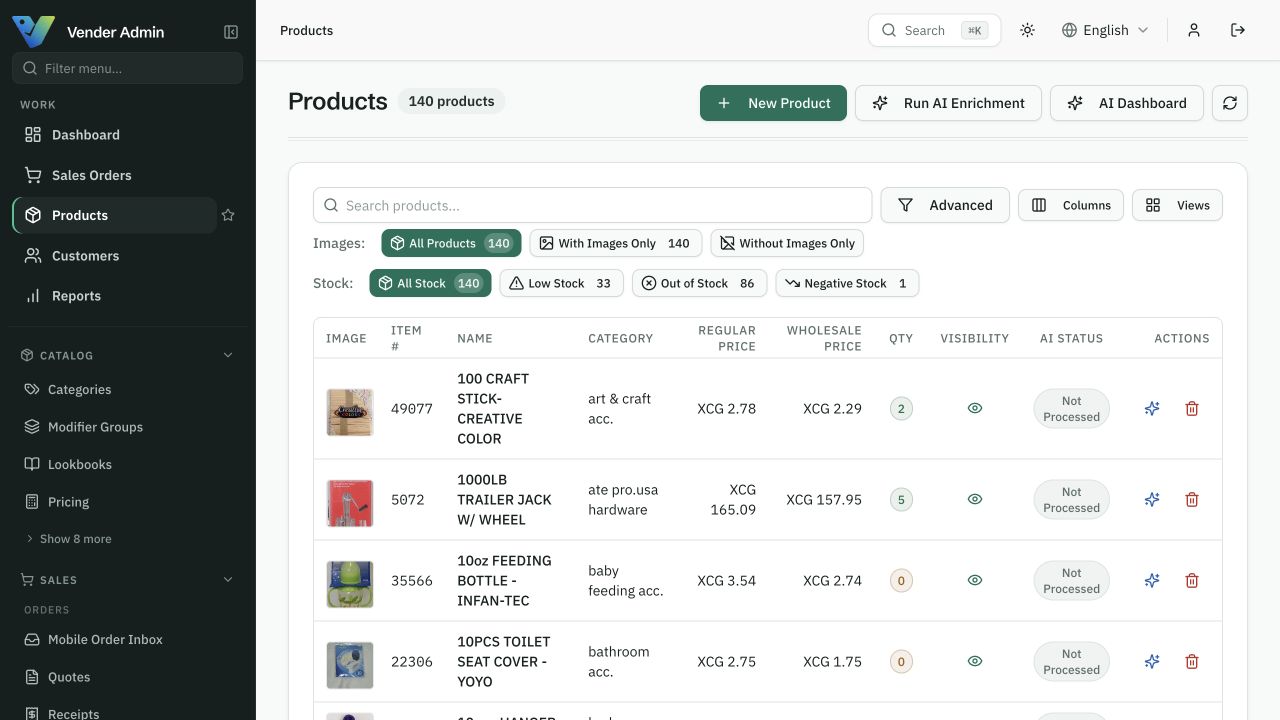
Manage products, prices and stock together.
Organise products, pricing, and stock in one back office. Build a reliable catalogue your buyers and sales team can actually use.
14 days free, no card needed. Start with a sample and add the rest when you are ready.
Built around the work you do.
Stock by location, transfers, and physical inventory counts.
Purchase orders, goods receipts, and supplier records.
For businesses keeping the same products in several spreadsheets or sales tools.
Look inside
Actual screens. Your pace.
Explore captured app screens with demo data. Choose a view or open an image to inspect the details.
Start with one working workflow.
Start with a sample of your existing product file.
Check units, prices, opening stock, and locations.
Test the handoff from purchase to stock to sale.
Before you start
Import from CSV or Excel with column mapping and a preview before anything is written. Bring a sample file first — you can expand to the full catalogue once the mapping looks right.
A clear starting point
Compare packages for your workflow.
Choose a package by the features listed on the pricing page. The Ordering and POS offers have their own scope; an operations plan does not automatically include every product. Confirm combined requirements with us before activation.
Compare all plans →